
 today deals
 special offer


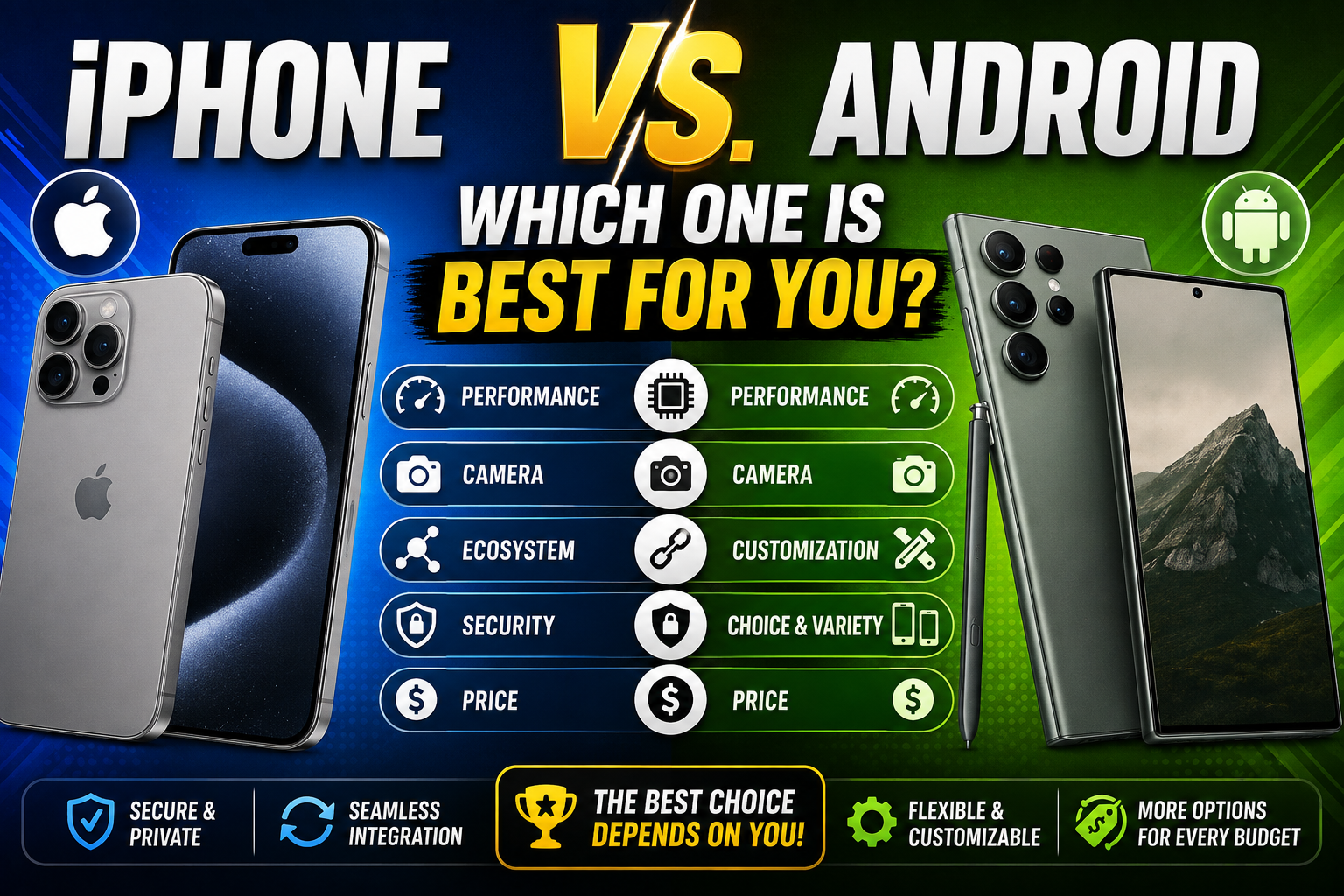
Choosing a smartphone used to come down to basic specs like screen size or megapixel counts. Today, deciding between an iPhone (iOS) and an Android phone means choosing an entire digital ecosystem that governs how you work, communicate, store photos, and connect with smart home devices.
Both platforms are mature, ultra-fast, and packed with artificial intelligence features. However, they cater to very different user priorities. In this comprehensive comparison guide, we break down the core differences so you can pick the operating system that fits your budget and lifestyle.
| Apple iPhone 16 Opens in a new window | Samsung Galaxy S24 5G Opens in a new window | |
| ¤0.00 · Apple 4.4 (10k+) Opens in a new window | ₹44,249.00 · Samsung 5 (1) Opens in a new window | |
| Operating System | Operating SystemiOS | Operating SystemAndroid (One UI) |
| Hardware Options | Hardware OptionsApple models only (iPhone 16 series, SE) | Hardware OptionsDiverse manufacturers (Samsung, Google, Motorola) |
| Customization | CustomizationStructured widgets and focus filters | CustomizationComplete UI customization and launcher support |
See more
1. Ease of Use and Ecosystem Integration
If you already own an iPad, Mac, or Apple Watch, the iPhone provides an unmatched ecosystem experience. Features like AirDrop, iMessage, Universal Clipboard, and iCloud Sync work automatically across devices without extra setup. The iOS interface remains straightforward, reliable, and uniform across every model.
Android, on the other hand, excels at cross-platform versatility. It integrates seamlessly with Google Workspace tools (Gmail, Google Drive, Google Photos) and connects smoothly with Windows PCs and Google Home smart devices across multiple brand ecosystems.
2. Hardware Variety and Customization
With Apple, your choices are restricted to a handful of current-generation models. While build quality is consistently premium, hardware innovation follows a controlled yearly release cycle.
Android offers immense hardware variety spanning multiple price points and form factors:
- Budget & Mid-Range Options: Get 120Hz displays and multi-lens cameras at fraction of flagship costs.
- Innovative Form Factors: Access foldable and flip designs like the Samsung Galaxy Z Fold or Z Flip series.
- Deep UI Customization: Customize home screens, install custom icon packs, swap default launchers, and sideload niche applications.
3. Privacy, Security, and Software Updates
Apple controls both the hardware and software of every iPhone. This tight integration allows Apple to push day-one OS updates simultaneously to millions of devices worldwide while maintaining long-term software support for 5 to 7 years. Apple’s strict App Store review guidelines and built-in features like App Tracking Transparency offer strong privacy protections.
Android has made massive security strides, with Google and Samsung now promising up to 7 years of software updates on flagships like the Samsung Galaxy S24. However, mid-range and budget Android devices may receive updates less frequently depending on the specific manufacturer.
4. Resale Value and Longevity
Because Apple releases fewer models each year and maintains long software update windows, iPhones hold their resale and trade-in value significantly longer than most Android phones. If you plan to upgrade your phone every two to three years by trading in your old device, an iPhone usually yields a higher return on investment.
The Final Verdict: Which Should You Choose?
Choose an iPhone if:
- You already use Apple hardware like a Mac, iPad, or Apple Watch.
- You prefer a simple, streamlined user interface that works right out of the box.
- You value long-term software support and high trade-in resale values.
- You prefer curated privacy features and seamless AirDrop file transfers.
Choose an Android phone if:
- You want total control over your phone’s layout, widgets, and default apps.
- You want innovative hardware options like foldable displays or ultra-fast charging speeds.
- You want a wide range of price options from entry-level to high-end flagships.
- You rely heavily on Google services and Windows PC integration.
Featured Flagship Devices & Accessories
Protect and power your next smartphone setup with top-rated mobile accessories:
- MFi-Certified USB-C Fast Chargers: Fast-charge your iPhone or Android device safely from 0% to 50% in 30 minutes.
- Military-Grade Protective Cases: Keep your phone safe from accidental drops with impact-absorbing corners and raised camera bezels.
- Magnetic Wireless Charging Pads: Keep your desk clean with sleek charging stations compatible with both MagSafe and Qi2 wireless standards.
👉 [Explore Our Full Collection of Smartphone Accessories] (Internal Link Placeholder)
Frequently Asked Questions (FAQ)
Can I easily transfer my data from Android to iPhone (or vice-versa)?
Yes. Both platforms provide free migration utilities during initial setup—such as the Move to iOS app for Android users switching to iPhone, or Google’s Switch to Android app for iPhone switchers.
Are iPhone cameras better than Android cameras?
Not necessarily. While iPhones excel at video recording consistency and natural color accuracy, flagship Android phones (like the Samsung Galaxy S Ultra or Google Pixel series) often offer superior optical zoom capabilities and advanced AI photo-editing tools.
Do Android phones last as long as iPhones?
Modern flagship Android phones from top manufacturers now match Apple’s long-term hardware durability and software support commitments (up to 7 years of OS updates), making top-tier Android phones just as durable over time.
Ready to Upgrade Your Mobile Setup?
Whichever platform you choose, pairing your smartphone with high-quality chargers, protective cases, and screen protectors guarantees the best everyday experience.
Browse our curated line of [Smartphone Accessories, Wireless Docking Stations, & Fast Chargers] to equip your new phone today!
Leave a Reply