
 today deals
 special offer


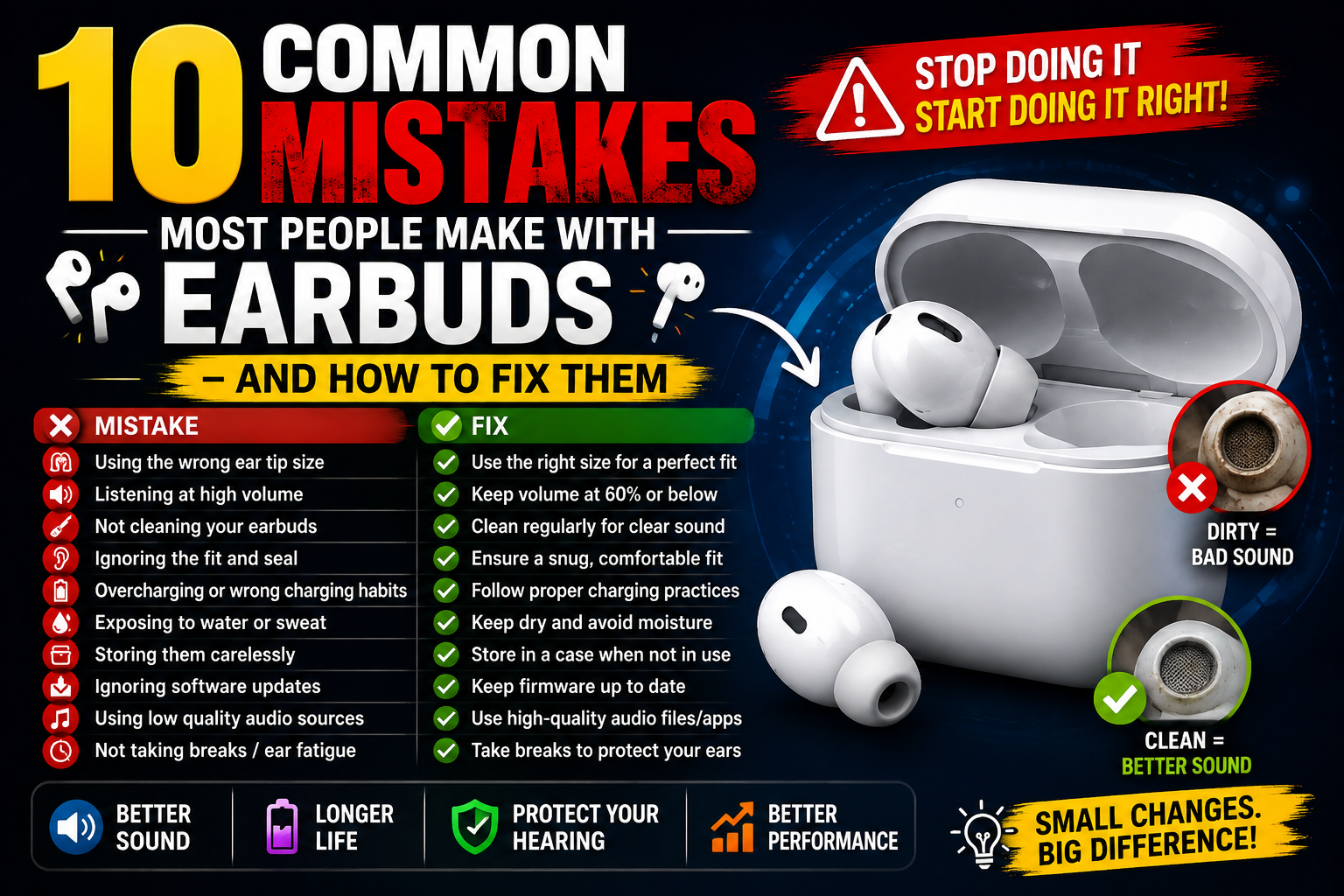
Wireless earbuds have become an absolute daily essential, whether you are taking hands-free work calls, hitting the gym, or immersing yourself in your favorite playlist. However, many users experience poor noise cancellation, muffled audio, or battery drain simply because of how they use and maintain their gear.
If your earbuds constantly feel loose or don’t sound as punchy as they used to, you aren’t alone. In this guide, we break down the 10 most common earbud mistakes and give you simple, actionable steps to fix them today.
1. Using the Wrong Ear Tip Size
The Mistake: Sticking exclusively with the medium silicone tips pre-installed out of the box.
Why It Matters: Ear canals vary in size, and using a tip that is too small prevents a proper acoustic seal, destroying bass response and Active Noise Cancellation (ANC). Using a tip that is too large causes instant ear fatigue.
The Fix:
- Test all included silicone tip sizes (S, M, L).
- Don’t assume both ear canals are identical—it is extremely common to need a Medium tip in one ear and a Large in the other.
- Upgrade to memory foam ear tips for superior isolation and all-day comfort.
2. Neglecting Earbud Hygiene
The Mistake: Never cleaning earwax, sweat, and lint out of the speaker mesh or charging case.
Why It Matters: Waxy buildup clogs the driver mesh, leading to low volume in one ear. Meanwhile, dirt inside the charging case prevents metallic pin contact, leaving you with dead earbuds when you need them.
The Fix:
- Use a soft, dry microfiber cloth and a dedicated multi-function cleaning tool once a week.
- Gently brush away debris from the speaker mesh using a soft-bristle brush—never use sharp metal objects or liquid alcohol directly inside speaker grilles.
3. Inserting Earbuds at the Wrong Angle
The Mistake: Jamming earbuds straight into the ear canal like earplugs.
Why It Matters: Most modern stem or ergonomic earbuds require a specific twist-to-lock motion to seal proper acoustic channels and engage outward-facing noise-canceling microphones.
The Fix:
- Insert the earbud with the stem pointing slightly forward toward your mouth.
- Gently twist the earbud backward toward your earlobe until it locks comfortably into place.
4. Draining the Charging Case to 0% Frequently
The Mistake: Treating the charging case like a emergency reserve rather than keeping it topped up.
Why It Matters: Lithium-ion batteries in tiny earbud cases degrade faster when completely discharged to zero voltage state.
The Fix:
- Charge your earbud case when battery indicators drop below 20–30%.
- Avoid leaving the charging case exposed to extreme heat (like sitting inside a hot car during summer).
5. Ignoring Custom EQ and App Settings
The Mistake: Relying solely on default factory sound profiles out of the box.
Why It Matters: Out-of-the-box sound curves are designed for generic listener profiles. You miss out on full dynamic range, tailored spatial audio, or personalized hearing adjustments offered by modern companion apps.
The Fix: Download the official manufacturer app (like Sony Headphones Connect, Samsung Galaxy Wearable, or Soundcore) to calibrate equalizers and customize touch control gestures.
6. Working Out with Non-Sweat-Resistant Earbuds
The Mistake: Wearing regular everyday earbuds during intense workouts or heavy rain.
Why It Matters: Water damage isn’t always instant. Moisture slowly corrodes internal acoustic drivers and micro-circuitry if your earbuds lack an appropriate IP water resistance rating.
The Fix: Check your earbud IP rating:
- IPX4: Basic splash/sweat resistance (good for casual workouts).
- IP57 / IPX7: Fully sweatproof and dustproof (ideal for heavy sports, running, and workouts).
7. Crank Up Volume to Block Background Noise
The Mistake: Turning up volume to 80–100% on noisy commutes to drown out traffic or transit noise.
Why It Matters: Listening at high volume levels for prolonged periods damages sensitive ear structures and speeds up noise-induced hearing loss.
The Fix: Enable Active Noise Cancellation (ANC) or switch to isolation-focused memory foam tips to cut background rumble passively without needing higher volume.
8. Storing Earbuds Loose in Pockets or Bags
The Mistake: Tossing loose earbuds directly into pockets, gym bags, or backpacks.
Why It Matters: Exposed charging contacts attract pocket lint and coins, creating short circuits or damaging outer surfaces.
The Fix: Always return your earbuds directly to their dedicated charging case the moment you take them out of your ears.
9. Leaving “Transparency Mode” On in Windy Environments
The Mistake: Leaving Ambient/Transparency mode active continuously while outdoors.
Why It Matters: External microphones pick up high-velocity wind buffeting, causing harsh whistling sounds in your ears and draining battery rapidly.
The Fix: Switch off Transparency Mode or toggle to Wind-Reduction ANC mode when walking or running outdoors on windy days.
10. Skipping System Firmware Updates
The Mistake: Dismissing companion app notifications regarding software updates.
Why It Matters: Manufacturers release frequent firmware updates fixing Bluetooth connectivity drops, microphone clarity bugs, and battery efficiency optimization algorithms.
The Fix: Keep companion apps installed and check for pending firmware updates every month.
Featured Accessories: Elevate Your Listening Experience
Keep your wireless audio gear pristine, comfortable, and sounding brand new with our favorite essential accessories:
Comply Multi-Purpose Earbud Cleaning Kit Bundle with P-Series Memory Foam Replacement Earbud Tips for Etymotic, NuForce, ISOtunes PRO, Q-Jays, & More,
₹4,805.00·Comply
Upgrade comfort and sound isolation with body-heat activated memory foam ear tips while keeping your drivers spotless with an included multi-tool cleaning set.
Cleaner Kit for Airpods Pro 1 2 3, 3-in-1 Multi-Function Cleaning Pen Tools Soft Brush Flocking Sponge & Metal Tip for Earbuds, Wireless Earphones, iP
₹580.00
4.4 (176)
(176)
A compact multi-function cleaning pen equipped with a soft flocking sponge, high-density brush, and precision metal tip to remove wax and lint safely.
Sony WF-1000XM5 Wireless Noise Cancelling Earbuds
¤0.00·Sony
4.3(2.7k+)
Delivers top-tier active noise cancellation, rich audio processing, and ergonomic all-day comfort for home, office, and travel.
Samsung Galaxy Buds4 Pro In-Ear Wireless Earbuds
₹20,999.00·Samsung
4.8(9.7k+)
Features adaptive noise cancellation and ergonomic fit controls designed for seamless Android integration and crystal-clear calls.
Frequently Asked Questions (FAQ)
How often should I clean my earbuds?
Clean the ear tips and speaker mesh at least once a week if you use them daily. Clean charging pins inside the case every couple of weeks to prevent connection glitches.
Why does one earbud sound quieter than the other?
In most cases, a single quiet earbud is caused by earwax clogging the mesh grille or dirt blocking the internal sound tube. Cleaning the mesh with a soft brush usually restores full volume instantly.
Are foam tips better than silicone ear tips?
Memory foam tips offer superior seal, better passive noise isolation, and increased bass response. Silicone tips are more durable and easier to wipe clean, making both good options depending on personal preference.
Upgrade Your Daily Audio Setup
Preventing basic earbud mistakes takes just a minute of care, but drastically improves sound quality, comfort, and battery longevity.
Looking to upgrade your gear or replace worn-out tips? Explore our curated collection of [Wireless Earbuds, Custom Foam Tips, & Tech Cleaning Accessories] to experience audio the way it was meant to be heard!



Leave a Reply